Navigation: คู่มือการใช้งานระบบติดตามและประเมินตัวชี้วัด (KPI) > การตรวจสอบประวัติการทำรายการ
ประวัติการเพิ่มข้อมูล
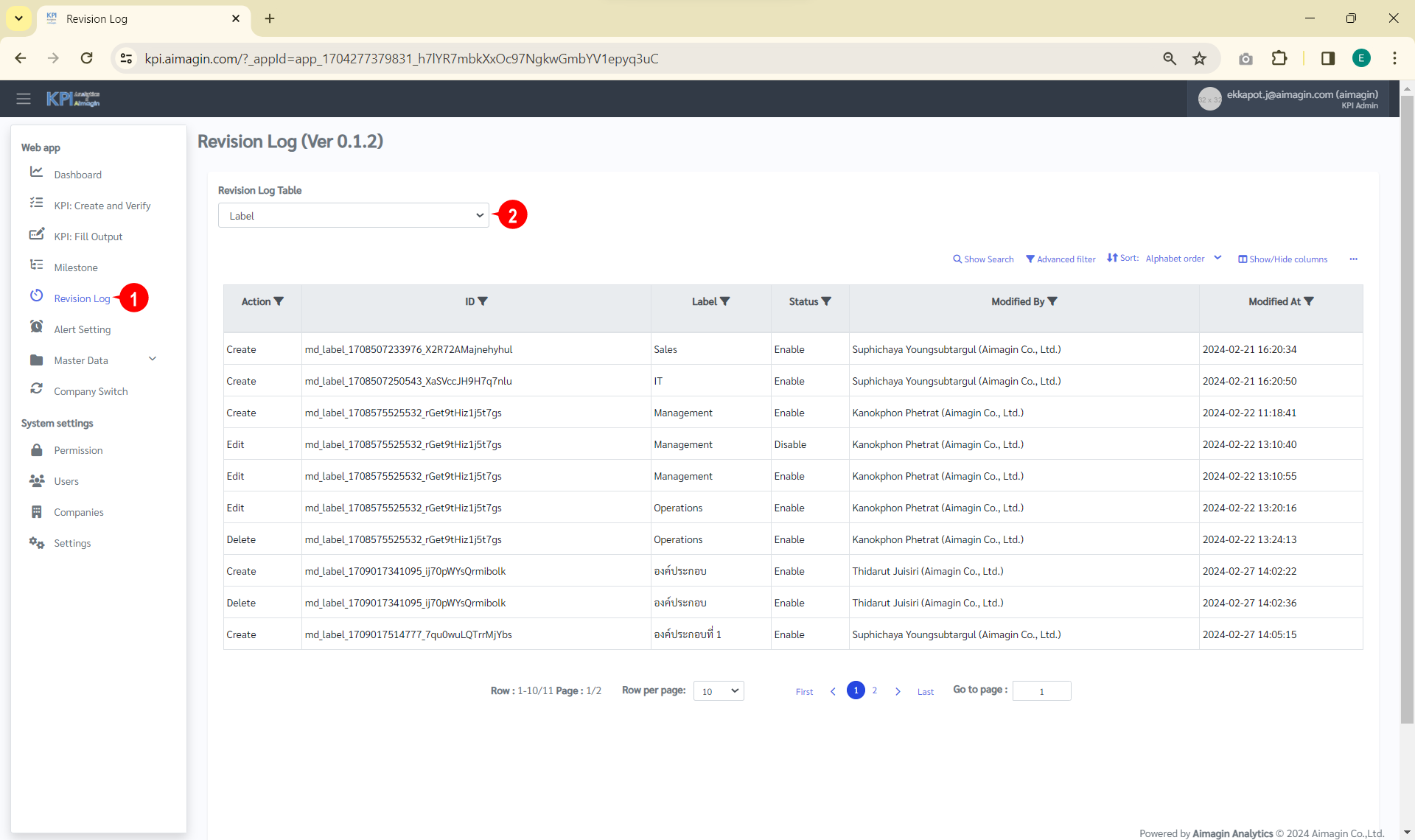
1. คลิก "Revision Log" => "Revision Log Table" ดังรูป
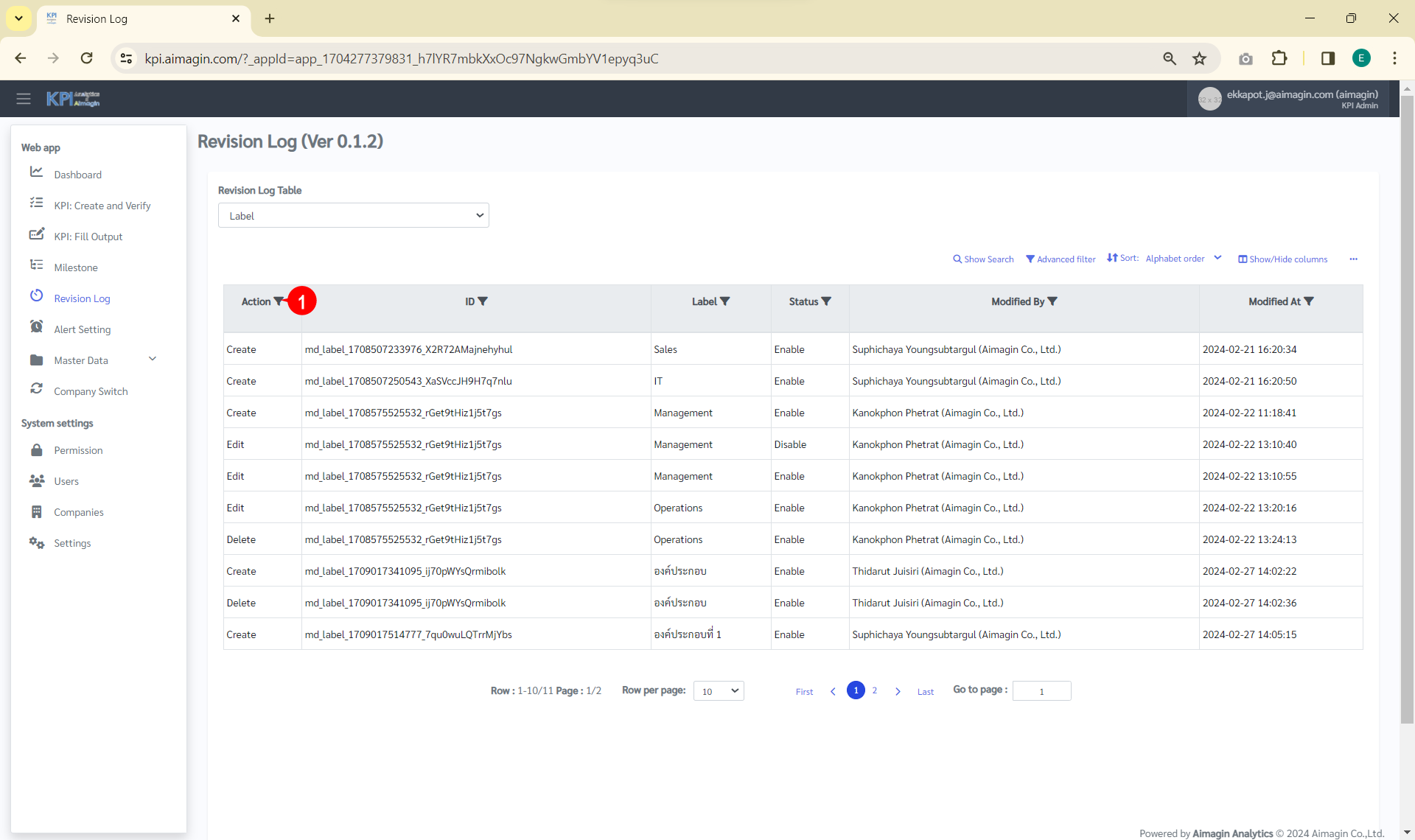
2. คลิกที่ตัวกรองหลัง "Action" ดังรูป
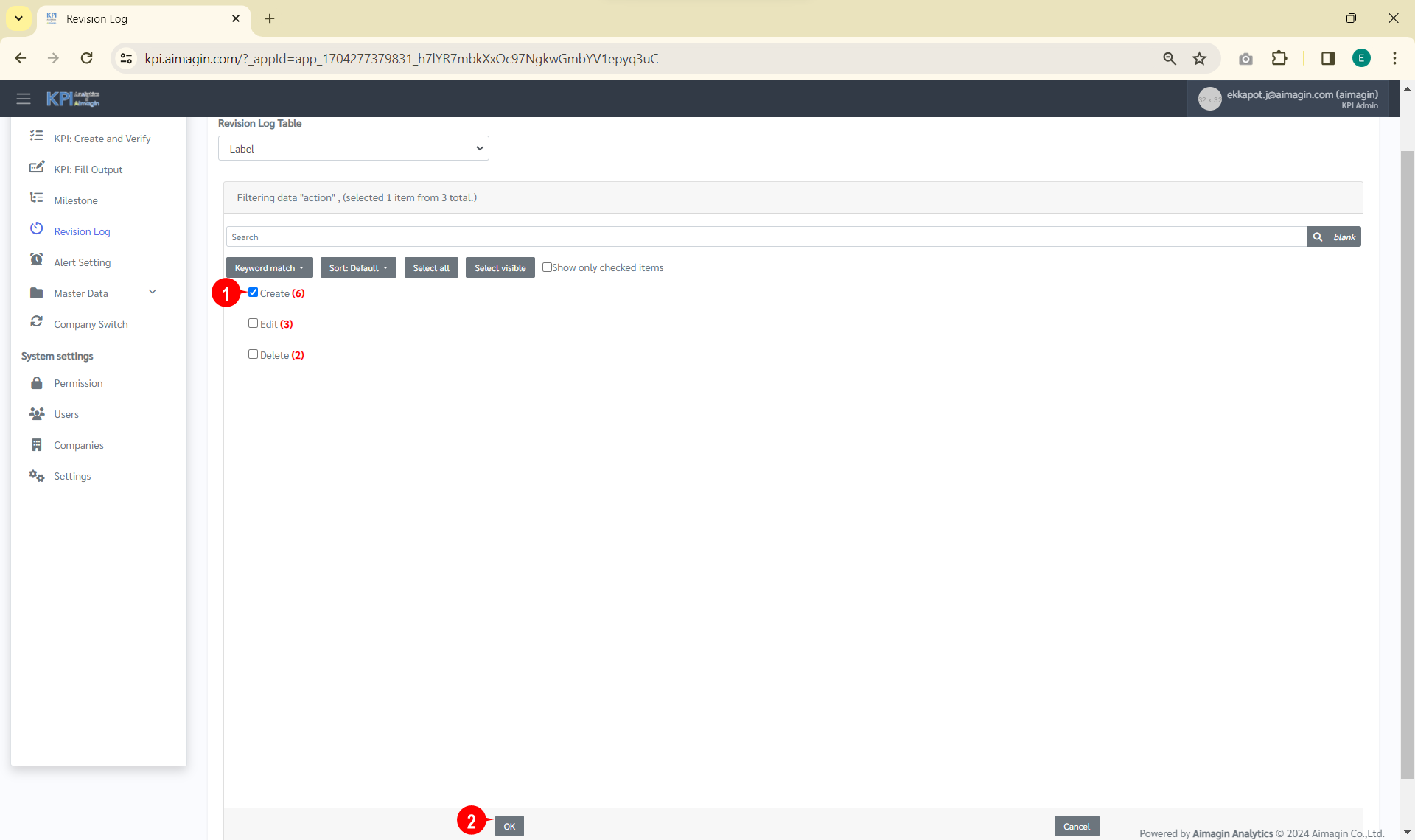
3. คลิกเลือก "Create" => "OK" ดังรูป
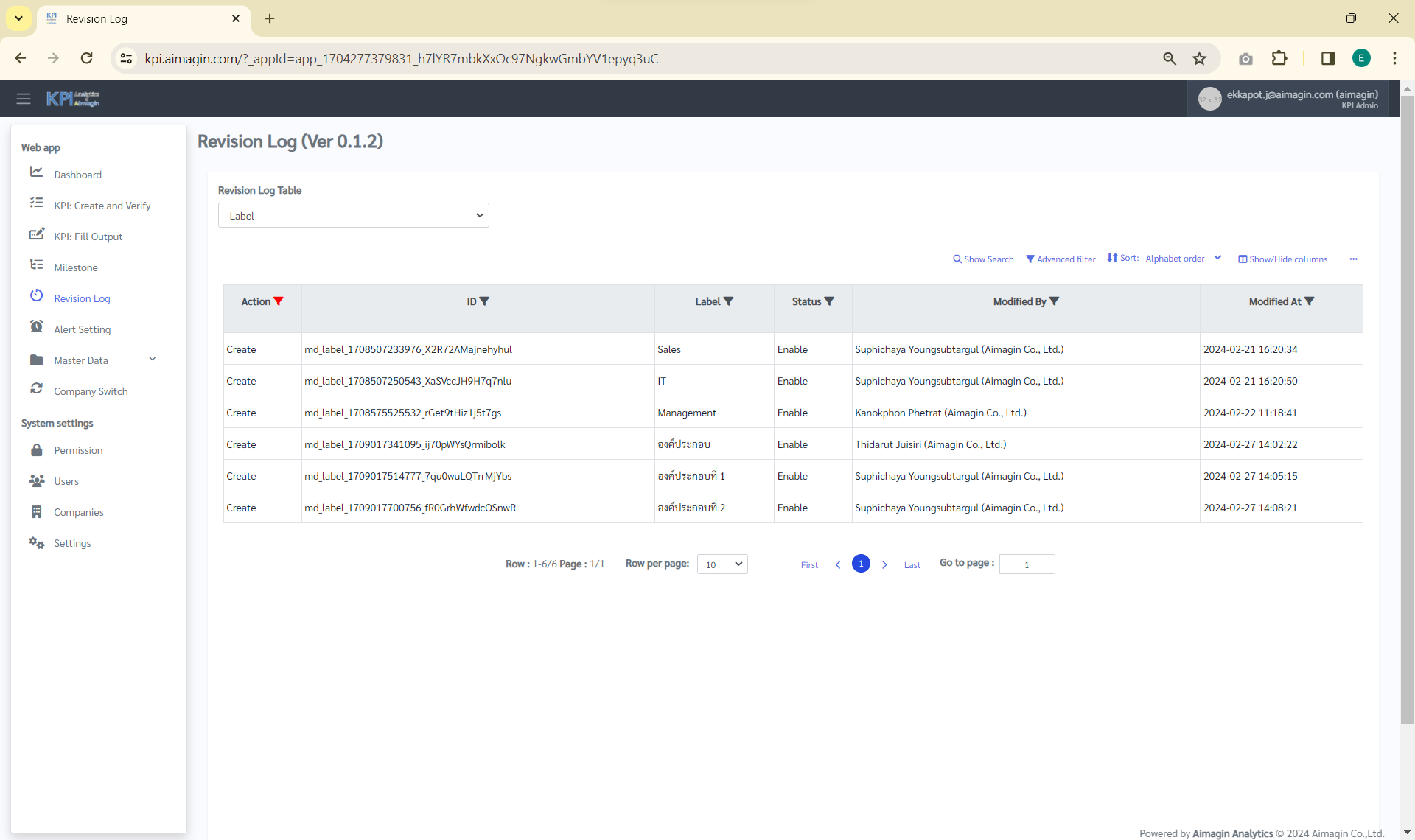
4. ระบบจะแสดง ดังรูป