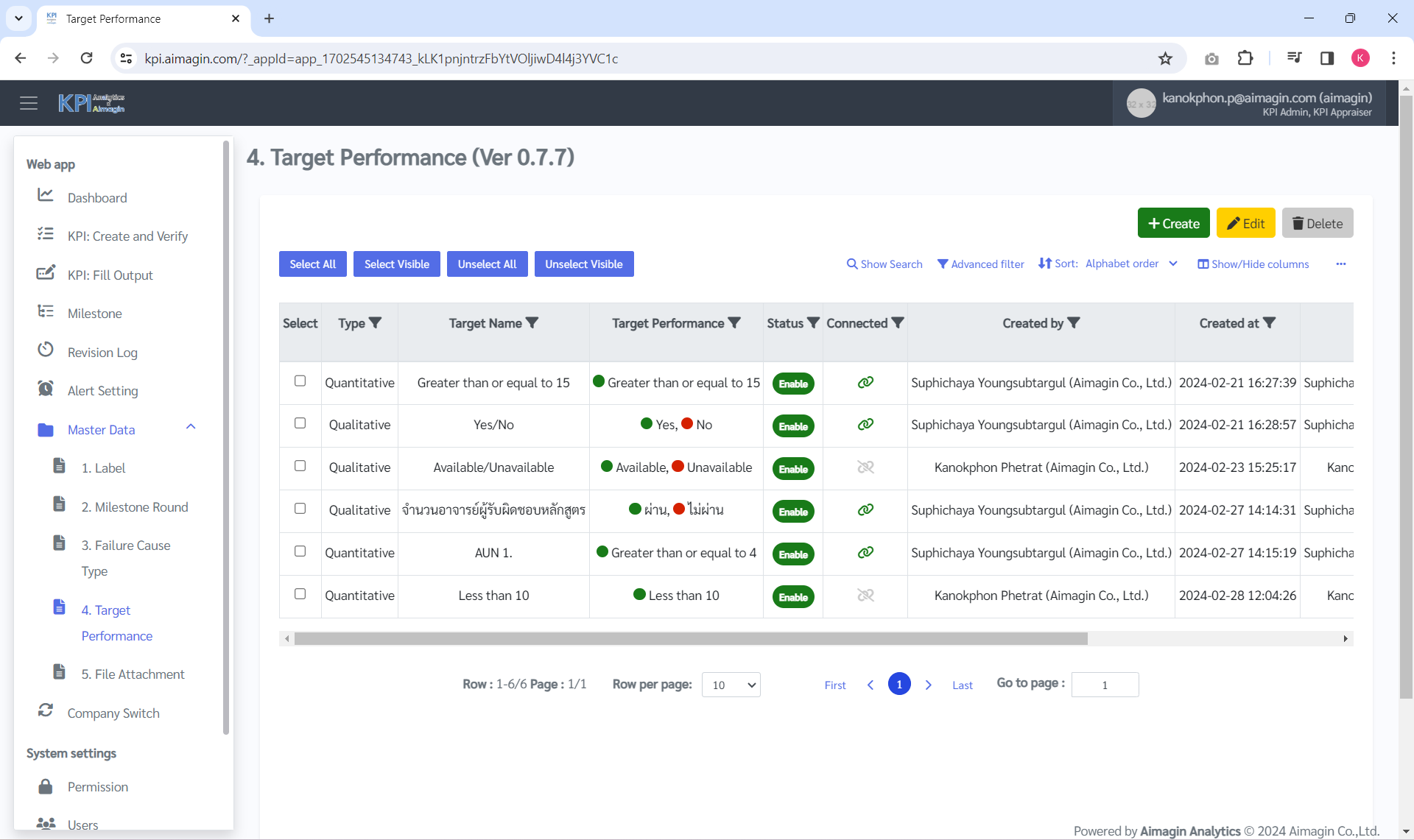
การเพิ่มเกณฑ์ประเมินเชิงปริมาณ ผู้ใช้งานสามารถดำเนินการดังนี้
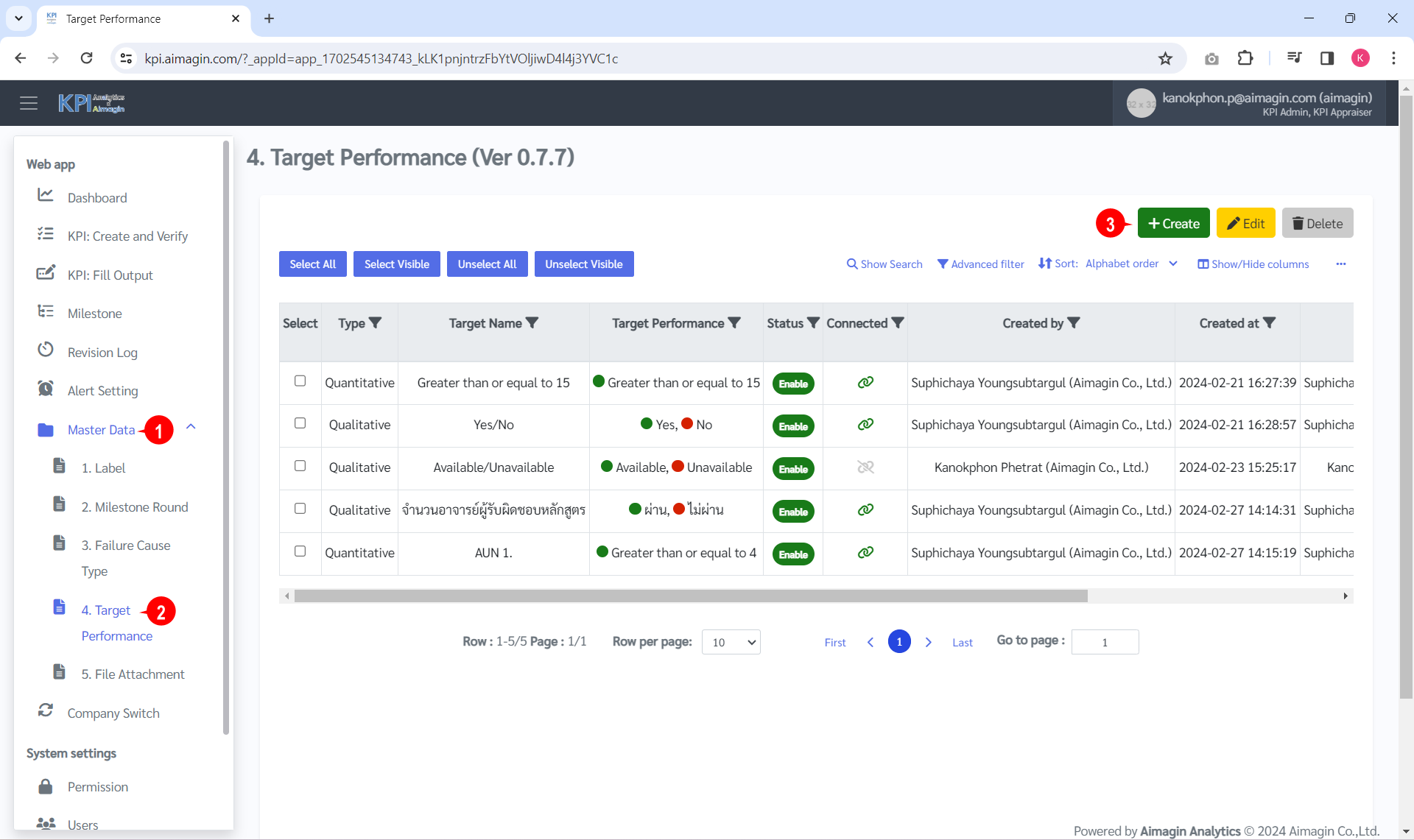
1. คลิก "Master Data" => "4. Target Performance" => "Create" ดังรูป
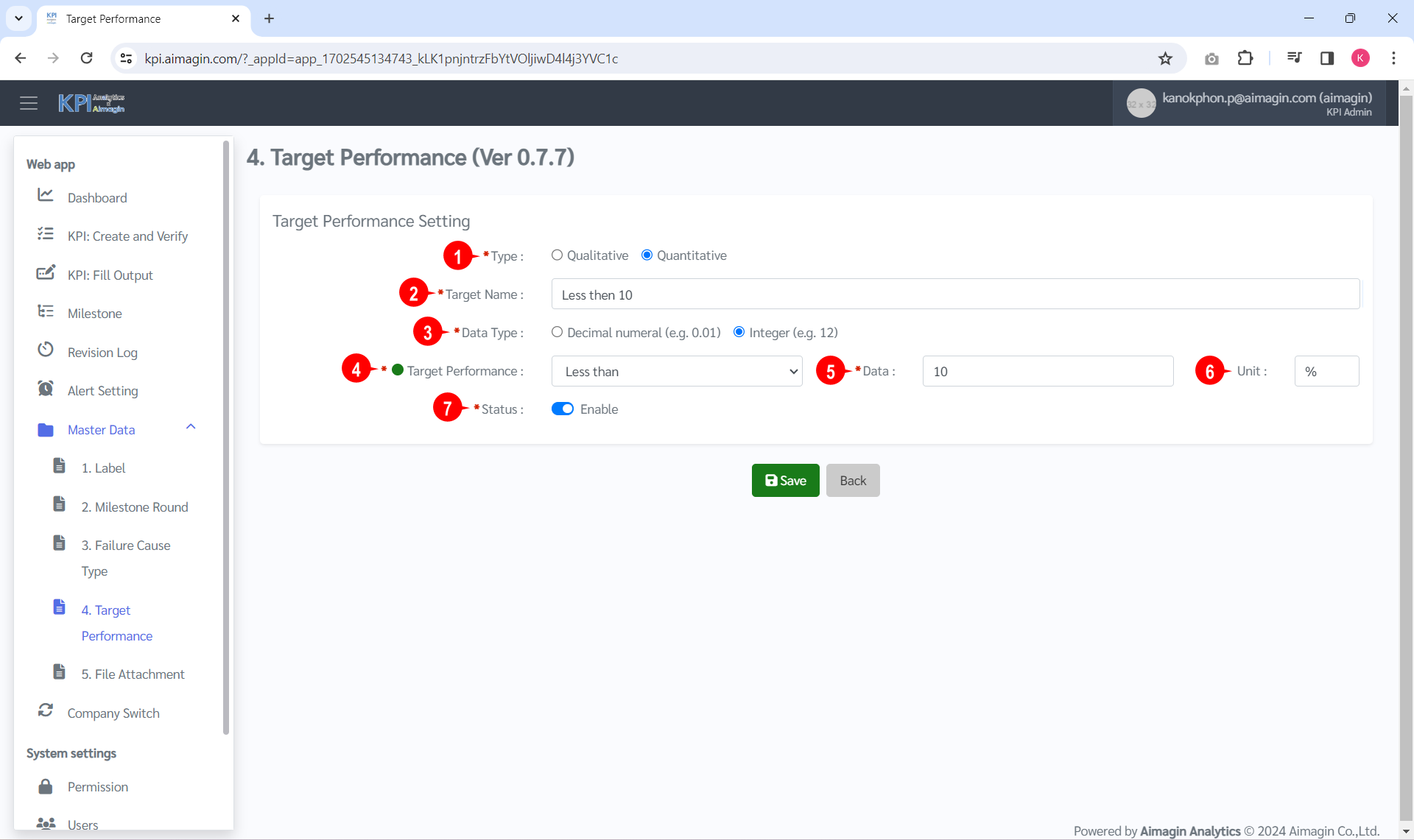
2. กรอกข้อมูลเกณฑ์ประเมิน ดังรูป
ลำดับที่ |
ชื่อข้อมูล |
คำอธิบาย |
ตัวอย่างการกรอกข้อมูล |
บังคับกรอก |
1 |
Type |
ประเภทเกณฑ์ประเมิน ดังนี้ - Qualitative คือ เชิงคุณภาพ - Quantitative คือ เชิงปริมาณ |
เลือก "Quantitative" |
Y |
2 |
Target Name |
ชื่อเกณฑ์ประเมิน |
Less then 10 |
Y |
3 |
Data type |
ประเภทข้อมูล ดังนี้ - Decimal numeral (e.g. 0.01) คือ ตัวเลขทศนิยม - Integer (e.g. 12) คือ ตัวเลขจำนวนเต็ม |
เลือก "Integer (e.g. 12)" |
Y |
4 |
Target Performance |
เป้าหมายเกณฑ์ประเมิน ดังนี้ - Greater than คือ มากกว่า - Less than คือ น้อยกว่า - Greater than or equal to คือ มากกว่าหรือเท่ากับ - Less than or equal to คือ น้อยกว่าหรือเท่ากับ - Equal to คือ เท่ากับ - Not equal to คือ ไม่เท่ากับ |
เลือก "Less then" |
Y |
5 |
Data |
เป้าหมายสำหรับผ่านเกณฑ์ประเมิน |
10 |
Y |
6 |
Unit |
หน่วยของเป้าหมาย |
% |
|
7 |
Status |
สถานะการใช้งาน ดังนี้
|
เลือก "Enable" |
Y |


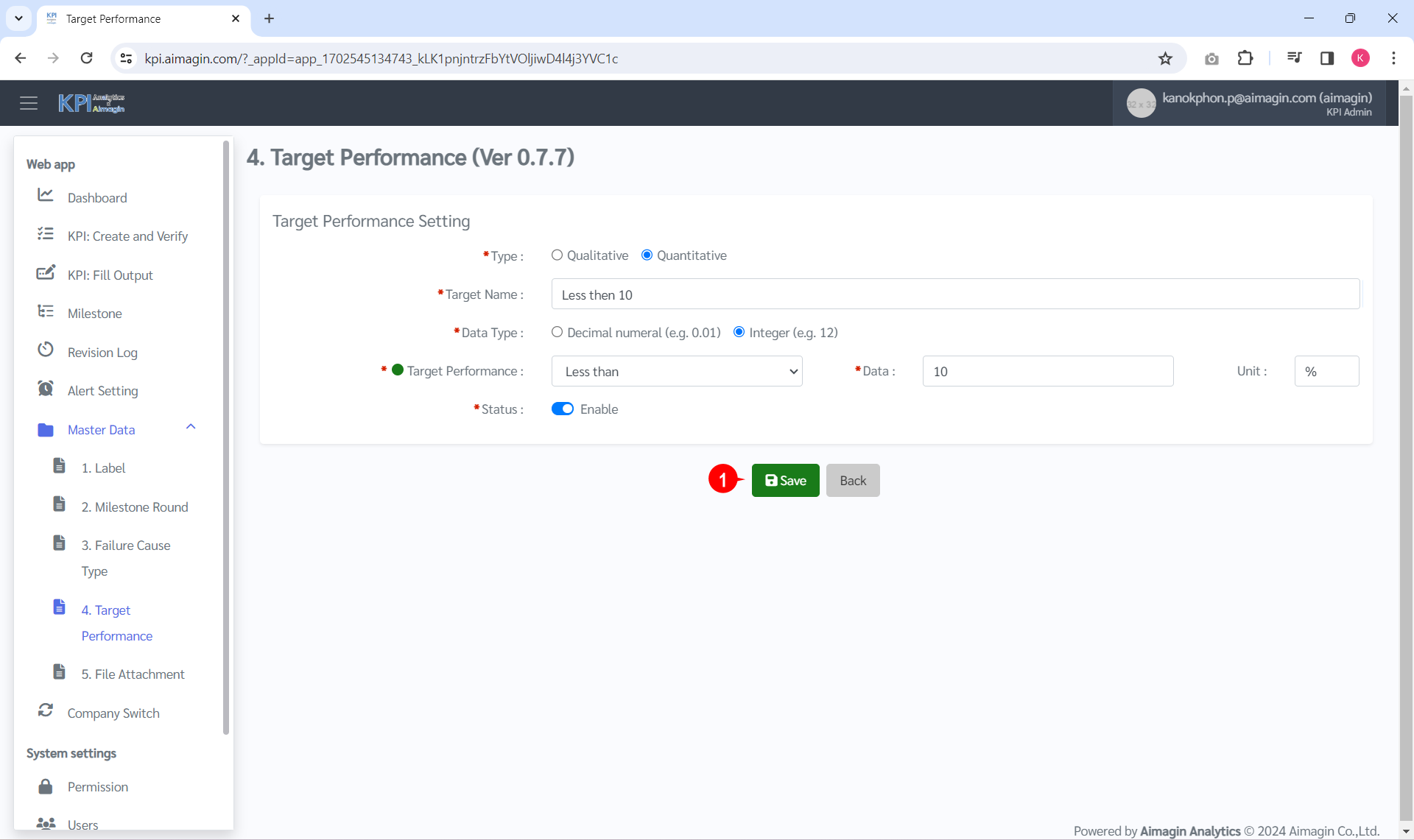
3. คลิก "Save" ดังรูป
4. ระบบจะแสดงดังรูป